The short answer
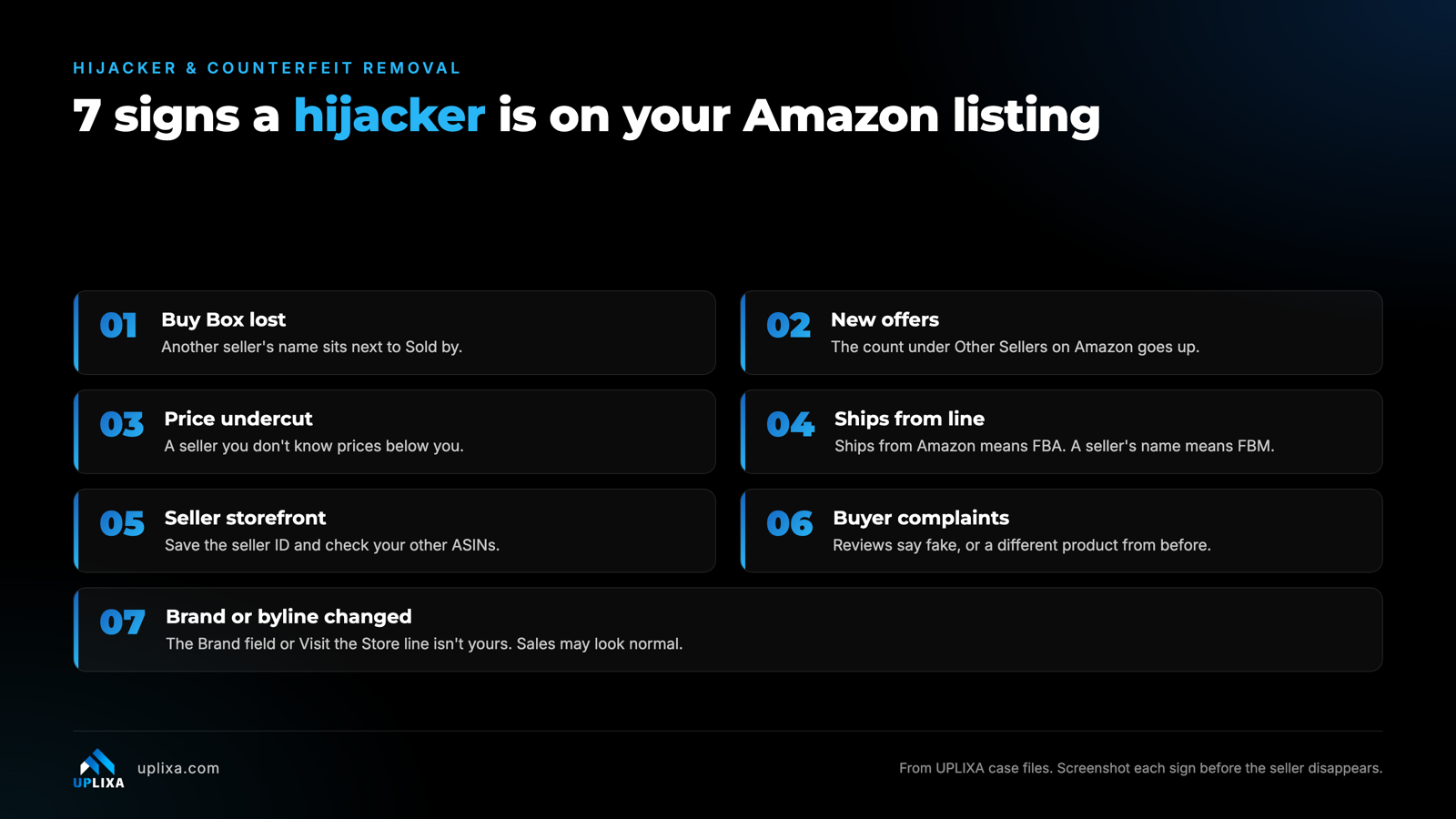
Check seven things: you lost the Buy Box, new sellers appear under Other Sellers on Amazon, someone undercuts your price, the Ships from line isn’t you, the seller’s storefront looks wrong, buyers complain about fakes or a different product, and the brand name or store byline changed. Screenshot everything before the seller disappears.
A name you don’t know shows up next to “Sold by” on your listing. Is it a hijacker? Sometimes.
But one of the worst hijacks we’ve worked on never touched the owner’s Buy Box. A US party-décor brand kept selling as normal while a stranger’s brand name crept onto its listings, one at a time, over several months. By the time it reached us, around 150 ASINs across 93 parent listings carried a brand customers didn’t recognize. New listings inherited it. The storefront showed it too.
Sales hadn’t dropped. That’s why it ran so long.
So, don’t judge a hijack by the Buy Box alone. And don’t panic at every new seller either. Not every one is a hijacker. These are the seven signs we check on every intake, and how to capture proof before the seller vanishes.
What are the 7 signs a hijacker is on your listing?
- You lost the Buy Box. Another seller’s name sits next to “Sold by” in the buy box. It’s the loudest sign, and in brand hijacks it’s often the one that never shows.
- New offers appear. The seller count under “Other Sellers on Amazon” or “New & Used from” goes up. Check every ASIN in the family, not only the best seller.
- Someone undercuts your price. A sudden lower price from a seller you don’t know is a reason to look closer. On its own it isn’t grounds for removal, because Amazon doesn’t enforce MAP.
- The “Ships from” line isn’t you. “Ships from Amazon” means an FBA seller, even when “Sold by” shows their name. A seller’s own name there means FBM. This line decides the removal path, so capture both lines.
- The seller’s storefront doesn’t add up. Click the seller’s name. Save the storefront link with the seller ID (the code after “seller=” in the URL), because display names change. Then search your brand on Amazon to see which of your other ASINs that seller is on. Clients usually know only some of them. In one case the client sent us three hijacked ASINs and a brand search found a fourth.
- Buyers complain about fakes or a different product. Reviews or feedback that say the item is fake, or doesn’t match what they bought before. Reviews sit on the ASIN, so a hijacker’s bad unit lands on your rating. A product carrying your mark that you didn’t make is a trademark issue Amazon acts on, and customer photos of the unit are evidence we use.
- The brand name or byline changed. Compare the Brand field and the “Visit the Store” line with your real brand. They can disagree: the byline follows Brand Registry ownership, while tools such as Keepa read the catalog brand. In September 2026 we saw two listings with the original brand in the catalog and the hijacker’s brand on the page.
How do you capture evidence before the seller disappears?
Hijackers move. In our cases some pull an offer just before a deadline and relist it about 48 hours later. Capture this the moment you see them:
- Screenshot the offer with “Sold by” and “Ships from” visible.
- Screenshot the listing: brand line, title, main image.
- Copy the storefront URL with the seller ID.
- List every ASIN the seller is on, from a search of your brand.
- Pull the offer history. Keepa, a third-party tracker, keeps offer and Buy Box history, so you can show when a seller arrived even after they’ve left.
- Put the date and the marketplace on every file.
That set is what we attach to a report or a cease and desist later. Without it, you’re describing a seller Amazon can no longer see.
Why don’t brand hijacks show up in your sales?
Because the owner usually keeps selling. In brand-field hijacks the real owner is often still on the listing, and often still holds the Buy Box. The party-décor brand above never lost it.
The damage is quieter. The page tells shoppers and Amazon’s catalog that someone else owns the product, new listings inherit the wrong brand, and the storefront follows. Think of it like someone repainting the name over your shop while you’re still behind the counter. Customers still walk in and buy. The sign just tells them the shop is someone else’s.
From our end, that’s why we check the live page, not a report. Tools that read catalog data can say a brand is fine while the page shows a stranger’s name, and the reverse. We’ve had tools flag a brand as reverted when the page said otherwise.
If the brand did change, it’s a catalog problem with its own route: Report abuse under Account Health, or a catalog review with evidence through Get Help. In our cases that fix comes first. The seller comes after.
Where this goes wrong
- Watching only the Buy Box. A brand hijack can run for months without costing you the box.
- Trusting a tool over the page. Check what a shopper sees before you tell anyone it’s fixed.
- Reporting only the ASINs you know about. Search your brand first. The list is rarely complete.
- Waiting to screenshot. An offer that’s gone can’t be shown to Amazon.
- Treating every new seller as a counterfeiter. A seller with genuine stock can get your claim removed by showing invoices or a letter of authorization. Know what they sell before you call it fake.
From our case files
Proof: Pushpeel
Pushpeel (US, toys). Unauthorized sellers undercut the price and took the Buy Box: signs 1 and 3 at once. Enforcement filings against the named sellers restored price and Buy Box control. On the brand side, we’ve recovered 1,000+ listings in brand hijack cases.
FAQ
How do I find out who is selling on my listing?
Open the offer. “Sold by” names the seller and “Ships from” shows who ships it. Other offers are listed under “Other Sellers on Amazon”. Click the seller’s name to reach their storefront and save the link with the seller ID.
Does a lower price mean the seller is selling fakes?
No. Genuine resellers undercut too, and Amazon doesn’t enforce MAP. Treat it as a reason to check the seller, the “Ships from” line and recent reviews.
My sales look normal. Can my listing still be hijacked?
Yes. In brand-field hijacks the owner often keeps the Buy Box and the sales. Check the Brand field and the store byline on your top ASINs regularly, on the live page.
What should I screenshot first?
The offer with “Sold by” and “Ships from” visible, then the listing, then the storefront link with the seller ID. Date each one and note the marketplace.
Someone changed my brand but I still have the Buy Box. Is it urgent?
Yes. New listings can inherit the wrong brand and your storefront can follow. It’s a catalog fix that runs separately from removing a seller.
About UPLIXA. UPLIXA is a compliance-first Amazon agency founded in 2021. We have worked with 80+ brands across the US, UK and Germany and handled 5,000+ listings across our services, from compliance and listing reinstatement to brand protection and brand name recovery.